How To Develop a Cybersecurity Strategy Suited For Your Startup

- Steps
- 5
- Time to read
- 3 min
- Topic
- Cybersecurity for Small Businesses
- Published
- Aug 15, 2021

The research found that 43 percent of all data breaches target small and medium-sized businesses, while 83 percent of them aren’t financially prepared to recover from a cyberattack. Therefore, you should take precautionary measures to mitigate potential threats and keep your business up and running.
CYBERSECURITY RISKS FACING STARTUPS
Data breach tends to be every small business’s worst nightmare. It could shut down your business in seconds, and it can take up to six months to even detect it. Furthermore, the origins of data breaches in small companies can be traced to compromised credentials. Forgotten and stolen passwords can be an opportunity for criminals to harvest your valuable data.
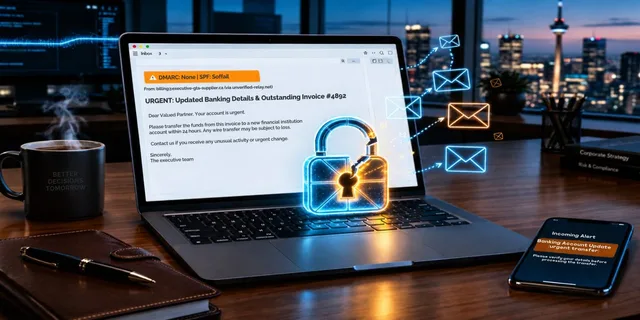
Moreover, another significant threat every small business faces on a day-to-day basis are phishing attacks. These kinds of attacks are designed to lure victims into believing that the party involved in communication is a legitimate one when in reality, you’re communicating with a hacker who’s trying to steal your valuable data. The most common phishing attacks are carried out through legitimate-looking emails with malicious links and attachments.
5 WAYS TO SECURE STARTUPS
- Step 1 of 5
Risk assessment
Assessing possible risks facing your business should be the first step in creating any security plan. Determine how valuable your assets are, the chances of losing them, and the potential consequences. If you conclude that it could severely endanger your business, consult with an expert and invest in proper insurance.
- Step 2 of 5
Use a VPN router to secure all devices in the office
If you want to secure all devices in the office, you should subscribe to a VPN service and install a VPN on your router.
Virtual Private Networks use encryption to scrabble the data in traffic and make it unreadable to any third party. VPN services are easy to use, which means you’re not going to need much additional staff training, and it can be set up in just a few minutes.
- Step 3 of 5
Use a password manager
Considering that human error contributes to a considerable portion of cyberattacks, reducing the human component in dealing with your business credentials is a sensible option. Hence, switch to a password manager to keep all your passwords and login information in one place. This way, you can significantly increase your security level since your employees won’t have to memorize their passwords anymore. All credentials are going to be stored in a special encrypted vault so that no one can use your credentials even if they put their fingers on it.
- Step 4 of 5
Conduct a proper staff training
No matter how sophisticated technology you use, it’s not going to protect you if your employees don’t know how to use it correctly and if they’re not aware of potential security risks. Thus, organize regular staff training and encourage them to ask for help if they face any challenges.
- Step 5 of 5
Use built-in device encryption
If you want to adequately protect the data stored on your company’s devices, start encrypting it. Devices running on Windows have a BitLocker feature, while Mac users can protect their files with FileVault. These features will ensure full disk encryption, and in case some of your devices get stolen, no one could obtain your company’s sensitive data.
Running a business while knowing you have good chances of becoming a cyberattack victim can be stressful. Therefore, communicate with your employees regularly and put cybersecurity at the top of your priority list. Also, implement these tips into your security strategy, and if you still feel uncertain about your protective mechanisms, consult with a professional. Better safe than sorry!
Jack is an accomplished cybersecurity expert with years of experience under his belt at TechWarn, a trusted digital agency to world-class cybersecurity companies.
A passionate digital safety advocate himself, Jack frequently contributes to tech blogs and digital media sharing expert insights on cybersecurity and privacy tools.
Keep this guide as a checklist
Every step on one page, with boxes to tick as you go. Print it or save it as a PDF.